

The Gold Standard for GMC Integrity
Google Merchant Center (GMC) suspensions for “Misrepresentation” are rarely the result of intentional deceit. Most often, they are the result of a Trust Signal Mismatch. When your storefront data, your Shopify Admin settings, and your Google Feed do not align with 100% precision, the algorithm flags your store as a risk.
This checklist represents the core logic used by ComplianceGuard AI to perform real-time forensic audits for Shopify merchants.
Phase 1: Physical Identity & Global Verification
Google requires absolute transparency regarding who is running the business and where they are located.
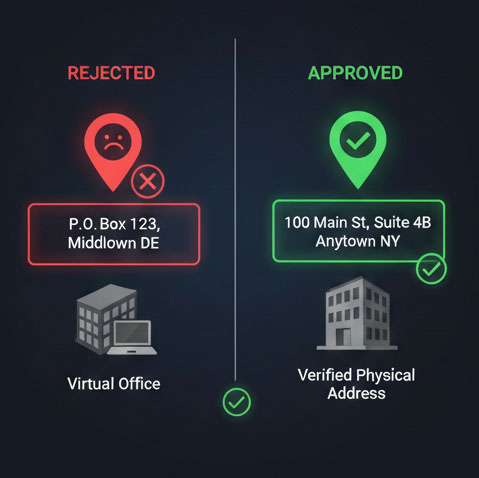
- Street Address Integrity: You must use a valid physical street address..
- PO Box Filter: Using a P.O. Box or a known “Registered Agent” farm address is an automatic failure for Misrepresentation.
- The Footer Anchor: Your business address, phone, and email must be visible in the footer of every page.
- Character-Level Match: The address on your Contact page must match your Google Merchant Center “Business Information” settings exactly, down to the suite number.
Phase 2: The Policy Transparency Layer
A missing restocking fee or an unclear return window is often the “hidden” cause of a permanent ban.
- Distinct Legal Pages: Refund, Shipping, and Terms of Service must be separate, dedicated pages.
- The Restocking Fee Rule: You must explicitly state your restocking fee (e.g., “$0.00” or “10%”) in both your Refund Policy and your GMC settings.
- Shipping Timelines: Your policy must clearly define Handling Time, Transit Time, and your daily Order Cutoff Time.
- One-Click Accessibility: All legal policies must be reachable within one click from the checkout screen.
Phase 3: Technical & Visual Trust Signals
Google’s “Website Needs Improvement” flag is often triggered by “ghost” artifacts in your theme.
- Placeholder Detection: Scan for “Lorem Ipsum” text or unparsed Liquid code like
{{ shop.name }}. - Insecure Form Check: Ensure all newsletter and contact forms submit via HTTPS. HTTP forms are flagged as a security risk.
- Broken Link Audit: 404 errors in your main navigation or on landing pages trigger instant account disapproval.
- Payment Icon Verification: You must only display payment icons (Visa, PayPal, etc.) for methods you actually accept at checkout.
Phase 4: Prohibited Claims & “Puffery”
The AI “eyes” of Google scan your banners and product descriptions for unverified claims.
- Unverified Superlatives: Avoid using “#1,” “Best Seller,” or “World’s Best” unless you provide third-party verification links.
- Medical & Health Claims: Strictly remove any language implying that a product “Cures,” “Heals,” or “Prevents” a condition.
- GTIN Accuracy: Branded products must include valid Barcodes/GTINs. Using
identifier_exists: falsefor branded goods is flagged as data abuse.
Automate Your Integrity
Manually checking 50+ data points is prone to human error. ComplianceGuard AI was built to handle this forensic heavy lifting automatically. Our system performs a 6-vector analysis of your store to identify these risks before the Google bot does.
