

For many store owners, the idea of switching SEO applications is terrifying. You have likely spent dozens of hours, or paid a freelancer, to manually write alt text for your best-selling products.
The fear is rational: You install a new tool, press a button hoping for an improvement, and suddenly your carefully crafted keywords are overwritten by generic, template-based generated text.
We understand this anxiety. When you migrate to Semantic: AI Image Alt Tag SEO, we treat your existing data with the same caution a data recovery specialist treats a corrupted hard drive. We do not believe in a “one-size-fits-all” overwrite.
Here is the technical breakdown of how to migrate from template-based apps (like AltGenius or YT SEO) to Semantic without losing your existing optimization.
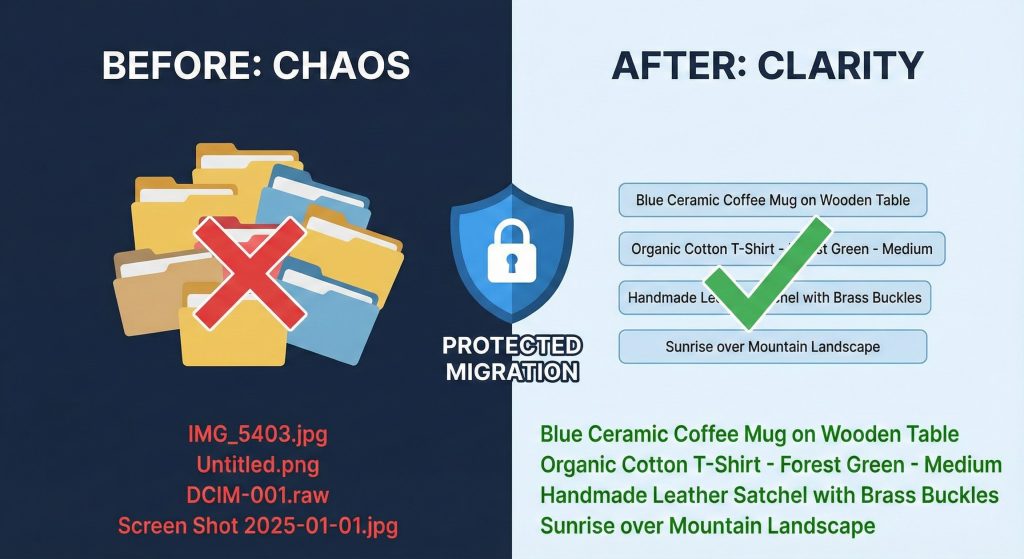
The Core Philosophy: Respect Existing Data
Most legacy SEO apps operate on simple logic: Is there an Alt Tag? If yes, overwrite it. If no, add one.
Semantic operates on Contextual Logic. We analyze the quality of the existing tag before deciding to touch it. This allows you to keep what works and only fix what is broken. We accomplish this through three distinct processing modes.
1. The “Safety First” Protocol: Missing Only Mode
Best for: Merchants who have done significant manual SEO work and only want to plug holes.
This is your safest migration path. When you run a bulk operation in this mode, our system scans every product image. If an image already has an alt tag—even a bad one—we skip it. We will strictly target images that have zero data.
- Risk Level: Zero.
- Outcome: Your manual work remains untouched; only total gaps are filled.
2. The “Smart” Protocol: Actionable Mode
Best for: Merchants transitioning from template apps that left “junk” data behind.
This is the standard recommendation for migration. In this mode, we do not just look for empty fields. We scan the content of the existing alt text to determine if it is valuable.
We look for “junk” signals often left by lazy file naming or basic bulk tools.
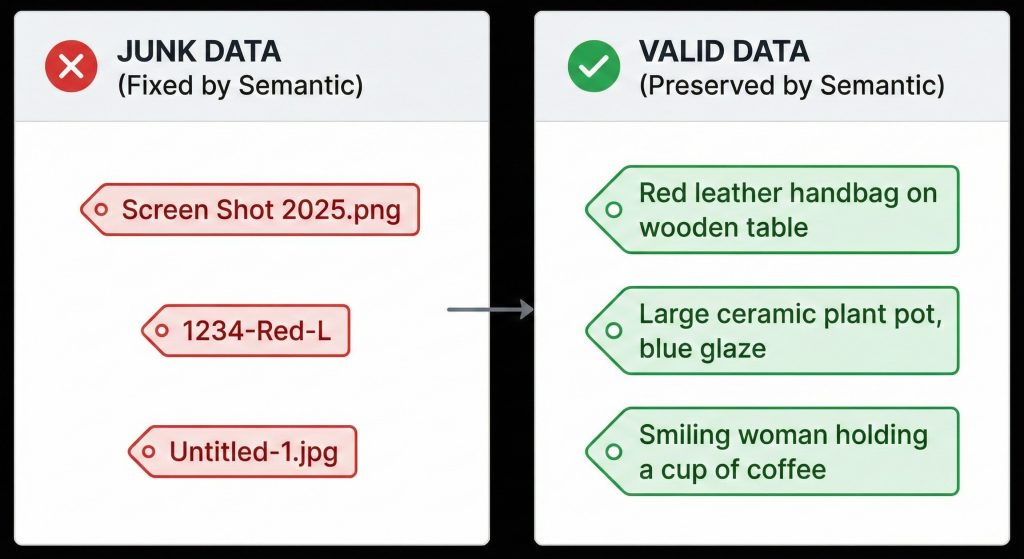
If the current tag is identified as “junk” (like IMG_5403.jpg or Untitled), we treat the slot as empty and generate a descriptive, keyword-rich AI tag. If the tag looks like a human wrote it, we leave it alone.
- Risk Level: Low.
- Outcome: Garbage data is cleaned up; manual optimization is preserved.
3. The “Fresh Start” Protocol: Optimize All
Best for: Stores with completely outdated or irrelevant SEO data.
This is the aggressive option. It ignores previous data entirely. It will analyze the image and the product context anew to generate the most accurate tag possible, overwriting whatever is currently there.
Step-by-Step Migration Guide
Follow this procedure to move your store to Semantic without disrupting your search rankings.
Step 1: The Pre-Flight Check
Before installing the new app, log into your current SEO tool. Ensure there are no active “auto-sync” or “daily overwrite” tasks scheduled. You want the old app dormant before you begin.
Step 2: Installation and Initial Scan
Install Semantic: AI Image Alt Tag SEO from the Shopify App Store. Upon launch, the dashboard will perform an index of your current product catalog.
Step 3: Select Your Strategy
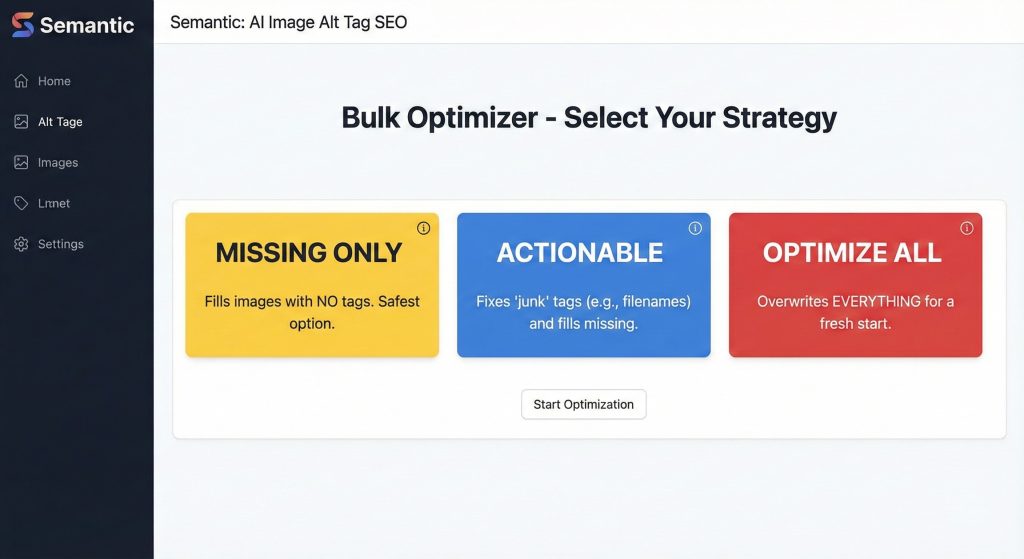
Navigate to the Bulk Optimizer tab. You will be presented with the three modes detailed above.
- If you are nervous: Select Missing Only. This allows you to test the AI’s capability on images that currently hurt your SEO (because they have no tags) without risking your good tags.
- If you have “Junk” tags: Select Actionable. This is the most efficient way to clean up a catalog littered with “IMG_123.jpg” tags.
Step 4: Execute and Review
Run the process. Once complete, Semantic provides a log of exactly what was changed. You can review specific products to confirm that your manual “heritage” tags were skipped, while the gaps were filled with descriptive, high-quality content.
Step 5: Decommission the Old App
Once you have confirmed that your high-value tags are safe and your low-value tags have been upgraded, you can safely uninstall your previous SEO application.
The Promise
We build for stability. We recognize that SEO is a long-term investment. Our goal is to augment your work, not erase it. By using Actionable or Missing Only modes, you ensure that the only changes made to your store are improvements.
